← All systems

ABC Sales AI · Business visibility setup

Fixes the Numbers audit area

AI Manager Reports and Data Chat
Get your numbers automatically. Ask what they mean.

Your sales report, ad dashboard and spreadsheet tell different parts of the story. You cannot see whether enquiries turn into sales, which customer groups are returning or what needs attention. Collecting another report does not create a decision.

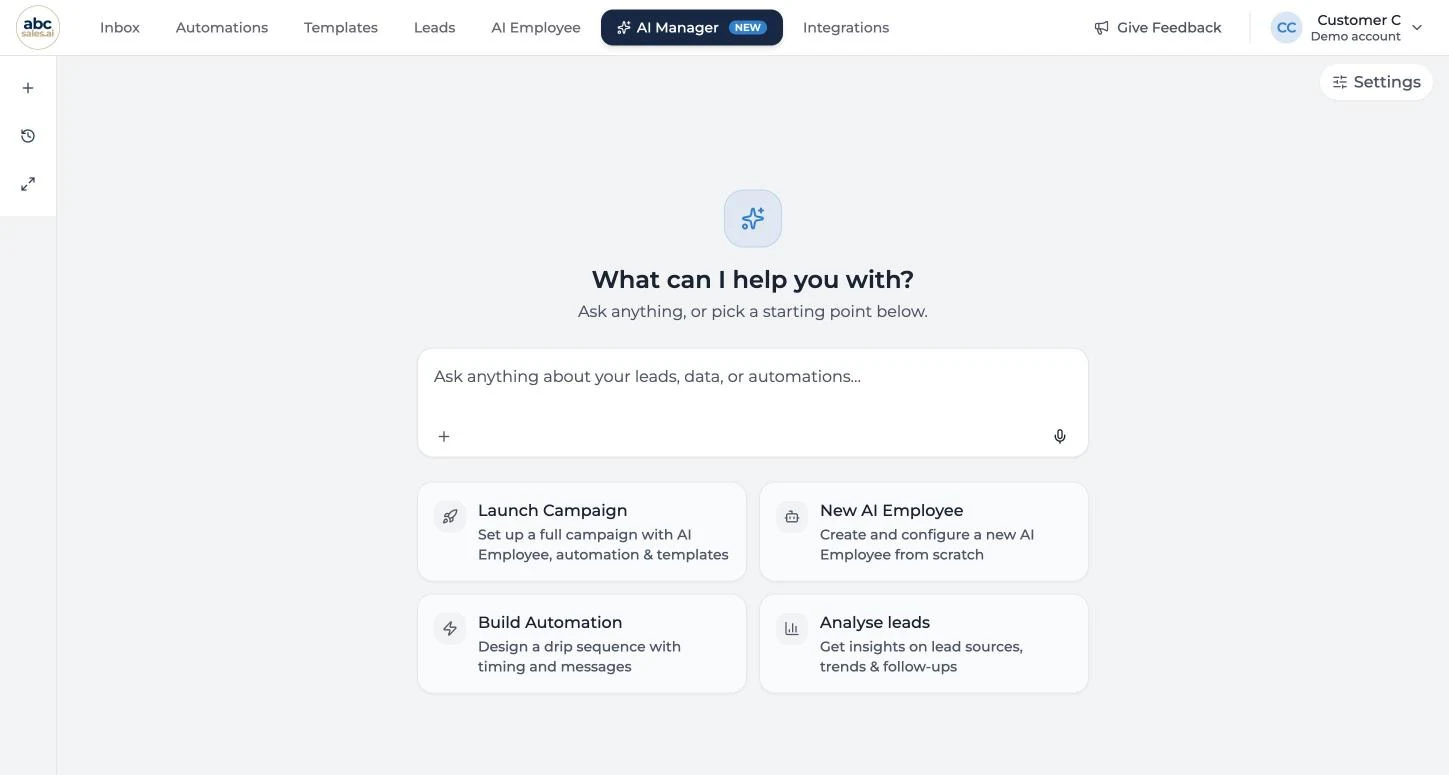
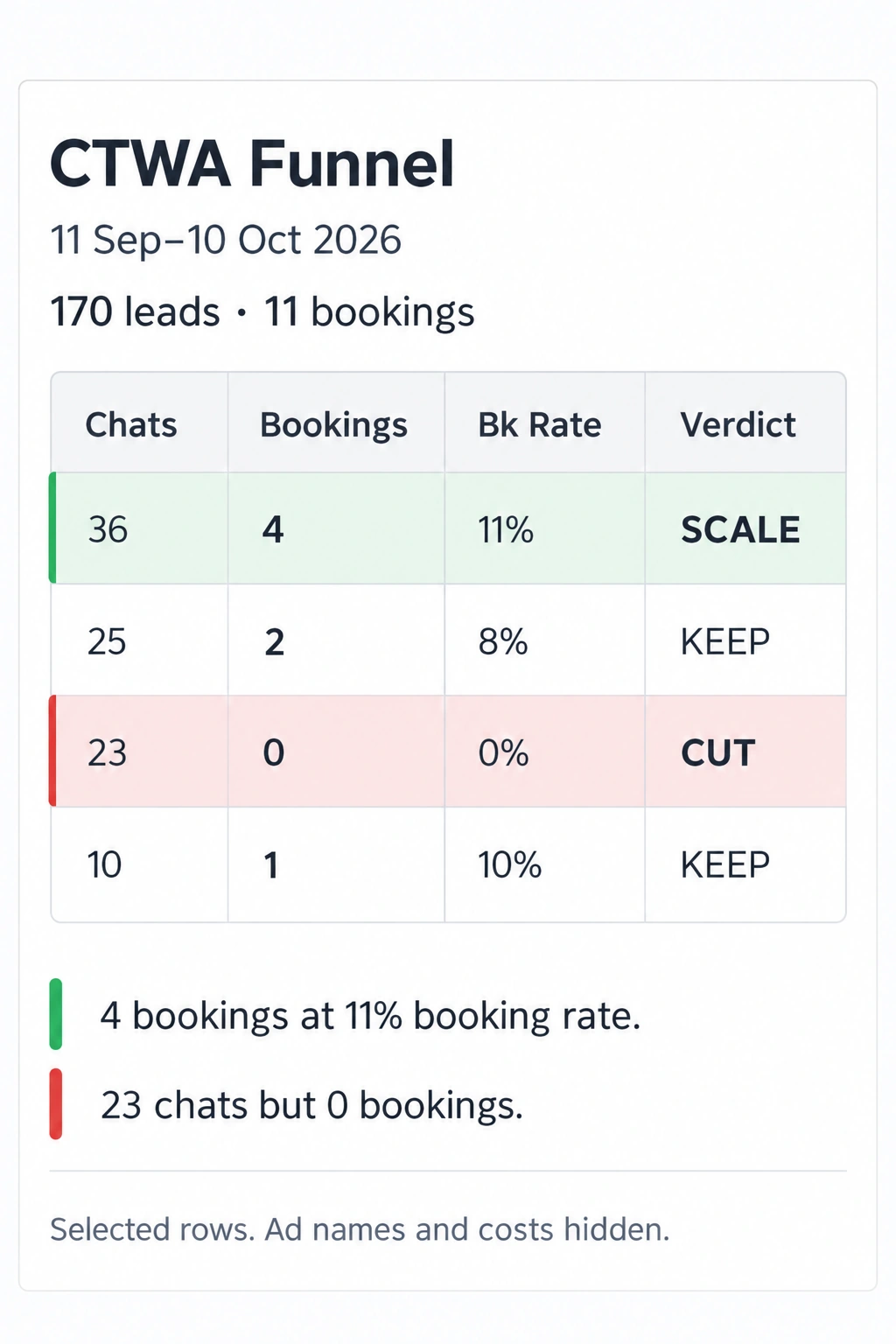
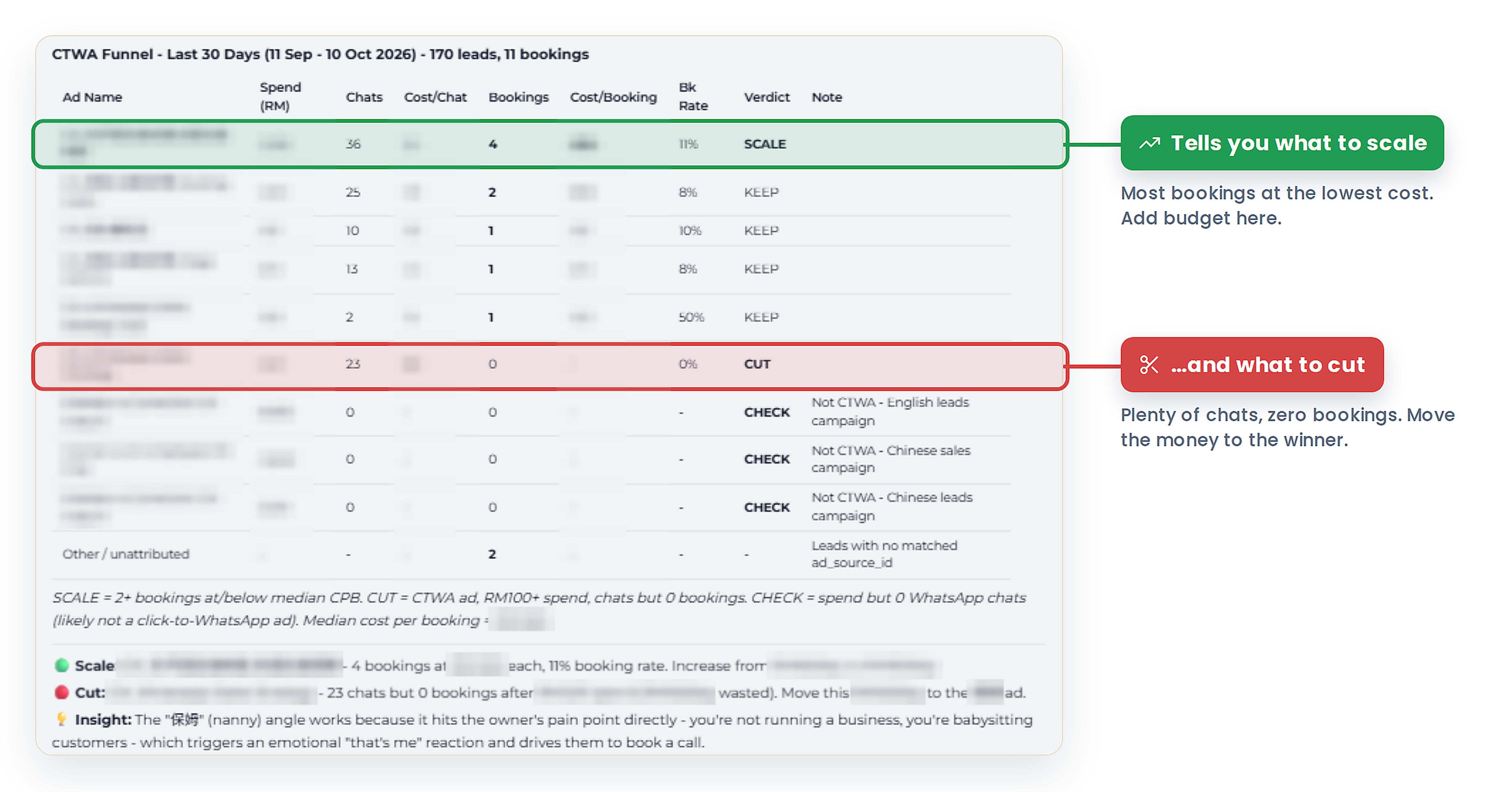
AI Manager delivers your reports automatically and lets you talk to your data. Ask what changed, compare branches or customer groups, and explore the next question using your agreed sources and definitions.

Automatic reports

delivered on your agreed schedule

Talk to your data

ask business questions in plain language

Checked numbers

mapped and tested for your business

If you do not fix it

What this leak costs you

You make budget and staffing decisions from different versions of the numbers. A drop in conversion or repeat business goes unnoticed. Reporting takes so much manual work that by the time a finding reaches you, the chance to act has passed.

How we fix it

So how does it actually work?

We study the decisions you need to make, check what your apps can provide and map the data to how your business works. We define the calculations and test them against real records. AI Manager then sends reports automatically on your agreed schedule, and you can ask follow-up questions in plain language. We configure and test the reporting and data questions, then review the findings with you. Existing records and suitable connections are reused; shared setup is scoped once.

Answered the way you are already thinking about it.

Which numbers should we actually watch?

Start with the decisions you need to make.

1. Agree the measures

We define conversion, average sale, repeat business or other agreed measures around your decisions. Does a sale count when it is booked or paid? Does a returning customer count across all branches or within one branch? Each measure gets an agreed source, calculation and reporting period. Customer value uses the available history, with gaps kept visible.

You know what each number means and which decision it supports.

What does it take to turn our app data into useful reports?

Your branch structure, customer groups and business rules shape the numbers.

2. Map the data to your business

We review your requirements and check API access, available fields and update timing before agreeing the connections. We reuse suitable connectors, then map customers, branches, staff, appointments and tags to the reports you need. The mapping gives each field a clear meaning and puts records in the right groups.

If customer records or lifecycle updates need building, that work belongs to the Customer Memory and Lifecycle setup. It can be included in one combined scope and charged once.

The reports reflect how your business operates, using the shared data setup once.

How do we know the report is right?

Reports and answers need reliable calculations.

3. Check the numbers

We trace sample figures back to real records and test the agreed calculations, customer matching and reporting periods. We check how refunds, cancellations and duplicate records affect the measures you chose, and make missing or delayed inputs visible. Differences are investigated and corrected before handover. AI Manager reports and data answers use the same agreed definitions.

The report has a clear basis you can check.

Can I get reports automatically and ask more questions?

The report arrives on schedule. The conversation continues when you need it.

4. Set up scheduled reports and data chat

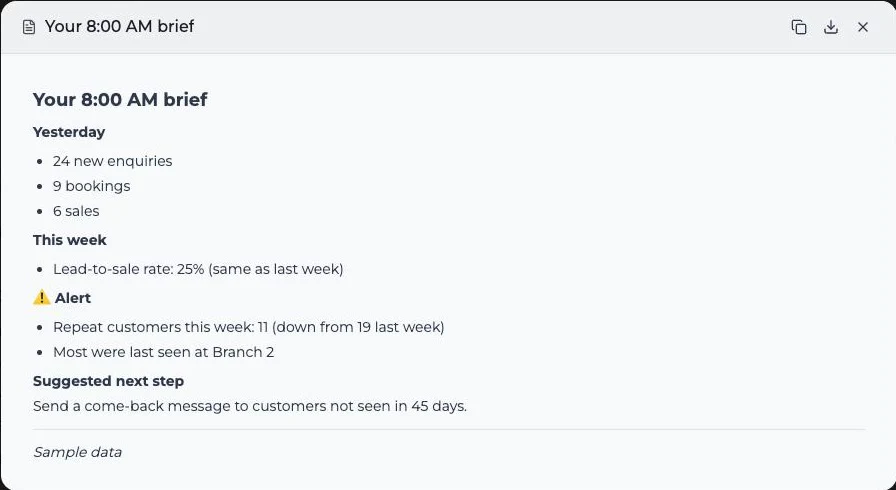
We configure AI Manager to generate and send the agreed daily, weekly or monthly reports automatically, with the comparisons and alerts in scope.

You can also ask questions in plain language: “Which branch had the most repeat customers?” or “How did conversion change this month?” We test agreed questions against the available data and make missing or delayed inputs clear.

Your numbers arrive automatically, and you can ask follow-up questions without assembling another report.

What happens after we see the numbers?

Every review ends with a decision and a next check.

5. Review and act

In the scoped monthly review, we read the results and relevant conversation themes together. We record what to change, who owns the action and when to review the effect.

Customer messaging changes and campaign execution remain with the relevant service or your team. AI Manager reports and data conversations help you choose and evaluate that work.

Findings lead to accountable action.

The install

What is included

  • A working session to agree the business questions, measures, definitions and reporting periods
  • A review of source data, API feasibility, available fields and update timing, reusing existing setup
  • The agreed connections, field mapping and reporting rules for your branches, customer groups and workflows
  • AI Manager reports and data questions tested against real records, with data gaps made visible
  • Automatic reports on the agreed schedule, comparisons and scoped alerts
  • Monthly reviews for the scoped engagement, with decisions, owners and next checks recorded
  • Training to ask business questions and follow-up questions in AI Manager
  • Metric definitions, source notes and a reporting handover

Not included: building customer memory or lifecycle behaviour unless separately scoped, running sales or retention campaigns, and implementing every business change the report suggests. Platform subscriptions, messaging usage and third-party fees are separate.

What you get

  • Your business numbers delivered automatically on schedule
  • Answers to follow-up questions in plain language, using agreed data
  • Less time assembling reports across apps and sheets
  • A record of decisions and whether the next review supports them

Timeline: Agreed after reviewing the sources and reporting scope. The quote states the build milestones, review period and responsibilities.

By yourself

Define the measures, check what each app can provide, map the fields and business rules, and reconcile the calculations with real records. Configure AI Manager reports, schedules and data questions, then test the answers and delivery. Make time each month to turn the findings into decisions.

With us

Bring your business questions, access to the agreed sources and the people who can confirm the figures. We configure and test AI Manager reporting and data chat, then run the scoped reviews with you.

What we need from you: the decisions you want to improve, access to the agreed sources, a person who can confirm the numbers and decision makers for the reviews.

Already on ABC Sales AI?

Guided Launch set up one workflow with you, a first version built to get your first win, so what you already have depends on the one you chose. Typically:

Onboarding gave you: ABC reports, scheduled summaries or customer data connections configured in your existing setup.

This adds: AI Manager reporting built around your business: requirements review, data mapping, agreed calculations, automatic scheduled reports and tested data questions. We reuse suitable connections and review the findings with you.

How this engagement is delivered

An AI system, deployed as a service

Every install is the deployment of an AI system into your business, delivered as a service. In the categories IRAS uses for qualifying AI business services, the work is:

Consultancy and strategy
The business expert work above: the mapping, the definitions, the copy and the working sessions.
System development and deployment
The AI and system configuration above: the AI Employee, AI Manager and platform capability switched on and wired to your business.
Data and analytics
The data mapping and checks, plus any reports, briefs or alerts included in the agreed scope.
System-related training
Handover and training so your team runs it without us.

Investment

Scoped and quoted for your business

Your consultant agrees the outcomes, scope and delivery checks with you, explains the investment, and provides a quote for your business. Your quote covers the requirements review, API feasibility, data mapping, business-specific calculations and testing needed for your reports. Existing connectors are reused where suitable. Shared customer data setup is charged once, and the ongoing review period is priced separately from the build.

Runs on your ABC Sales AI platform subscription. If you came through Guided Launch, you already have it.

Connect first, commit later. When a system depends on your booking tool, POS, payment system or customer records, we verify the connection before you commit fully. If it truly cannot connect, the first payment comes back.

Singapore company? Install work like this is the kind of AI spend the EIS 400% deduction covers for YA2027 and YA2028, roughly 51 cents saved per dollar for a profitable company at 17%. No application: when the work is completed and accepted we send the claim documents, and your accountant adds it to your normal return. Forward our accountant page, and confirm your own eligibility with your tax advisor.

We build a limited number of installs each month, so every system gets senior attention.

Built and tested before we hand it over

See scheduled reports and answers to your data questions working before handover.

We agree the sources, definitions, report schedule and sample questions before building. We test automatic report delivery and AI Manager answers against real records, with missing inputs made visible. Each scoped review ends with written decisions and next steps. We promise this reporting setup and review work; we do not promise a revenue increase. You keep:

  • The reporting connections and source notes built for you
  • The agreed metric definitions and checked calculations
  • The AI Manager report schedules, data-query setup and scoped alerts
  • Every review record, decision and next check

A reporting setup you can verify, and a written record of what you decided to do with it.

Honest fit check

This is not for everyone

Perfect for:

  • You cannot reliably say which leads convert or how customer spending changes
  • Your reporting is fragmented across apps, Google Sheets and dashboards
  • You want automatic reports and a way to ask questions about your business data

Not built for:

  • You have no activity or usable records to measure yet: build that foundation first
  • You only need your AI to remember and treat individual customers appropriately: start with Customer Memory and Lifecycle

Before you ask

Quick answers

I can already ask my AI Manager these questions.

Keep using it. AI Manager is included in your platform subscription. This service adds the sources, business-specific mapping, checked calculations, report schedules and tested data questions your setup needs. We scope the missing work around what already works.

If you already have a connector, what am I paying for?

We reuse a suitable connector. The custom work is making the information mean the right thing for your business. Two businesses using StoreHub, Kumo or Zeoniq may have different branches, tags, appointment rules and definitions of a sale or repeat customer. We study your requirements, check what the API supports, map the records, configure the calculations and test the results against your actual setup. That is what makes the report useful for your decisions. Shared work already included in your customer data setup is charged once.

Do I need Customer Memory and Lifecycle first?

Only if the records or updates needed for your measures are missing. We inspect what you already have. If both services need the same data setup, it is included once in the combined scope.

What if our data is incomplete?

We make the gap visible and agree how to collect or connect the missing information. We do not present unknown customer history as a measured lifetime value.

Does this change customer messages or run campaigns?

AI Manager reports and data conversations show what needs attention and help evaluate the result. Customer Memory and Lifecycle sets the customer context and behaviour; the relevant follow-up or campaign service executes its agreed work.

We are a Singapore company. Can we claim this under the EIS 400% AI tax deduction?

Yes, this is the kind of spend the scheme was built for: IRAS lists system development and deployment, consultancy and strategy, data and analytics, and training as qualifying AI business services. For YA2027 and YA2028 the EIS gives a 400% tax deduction on the first S$50,000 of qualifying AI spend per year, roughly 51 cents saved on every dollar for a profitable company at 17%. There is no application and no pre-approval: you claim it in the tax return you already file. Our part is to make it effortless. When the install is completed and accepted, we send the necessary documentation, itemised under this system's title, and we work with your accountant on anything else the claim needs from our side. Whether your company qualifies depends on your own situation, so confirm with your tax advisor.

ABC Sales AI · abcsales.ai · Every install is scoped to your business and quoted by your consultant. Outcomes depend on your market, offer and execution; what we commit to is the work, not the result. You are responsible for the content you send; campaigns are vetted against your industry's rules before launch. ABC Sales AI is not a tax advisor; any Singapore EIS treatment is for your tax advisor and IRAS to confirm.

Get your reports. Talk to your data.

Get scheduled AI Manager reports, ask what the numbers mean and agree what to do next.