
System Prompt and Knowledge Base Access Control
System prompts and knowledge base content are now restricted to Owners and Admins only, protecting your competitive advantage.
System Prompt and Knowledge Base Access Control
The Problem
Sensitive business logic, system prompts, and knowledge base content were previously accessible to all team members, including trusted employees and part-time agents. This created security concerns as these users could view and potentially modify critical AI configuration.
The Solution
System prompts and knowledge base content are now restricted to Owners and Admins only through new protected endpoints. Non-owner/admin users (Trusted Employees and Agents) will receive 403/404 errors when attempting to access these features.
What Changed
- The frontend now uses separate API endpoints for system prompts and knowledge base management
- Only users with Owner or Admin roles can now view and edit:
- System prompts
- Knowledge base documents
- AI Agent configuration
- Trusted Employees and Agents can still use all other features but cannot see or modify AI settings
What Non-Admin Users See
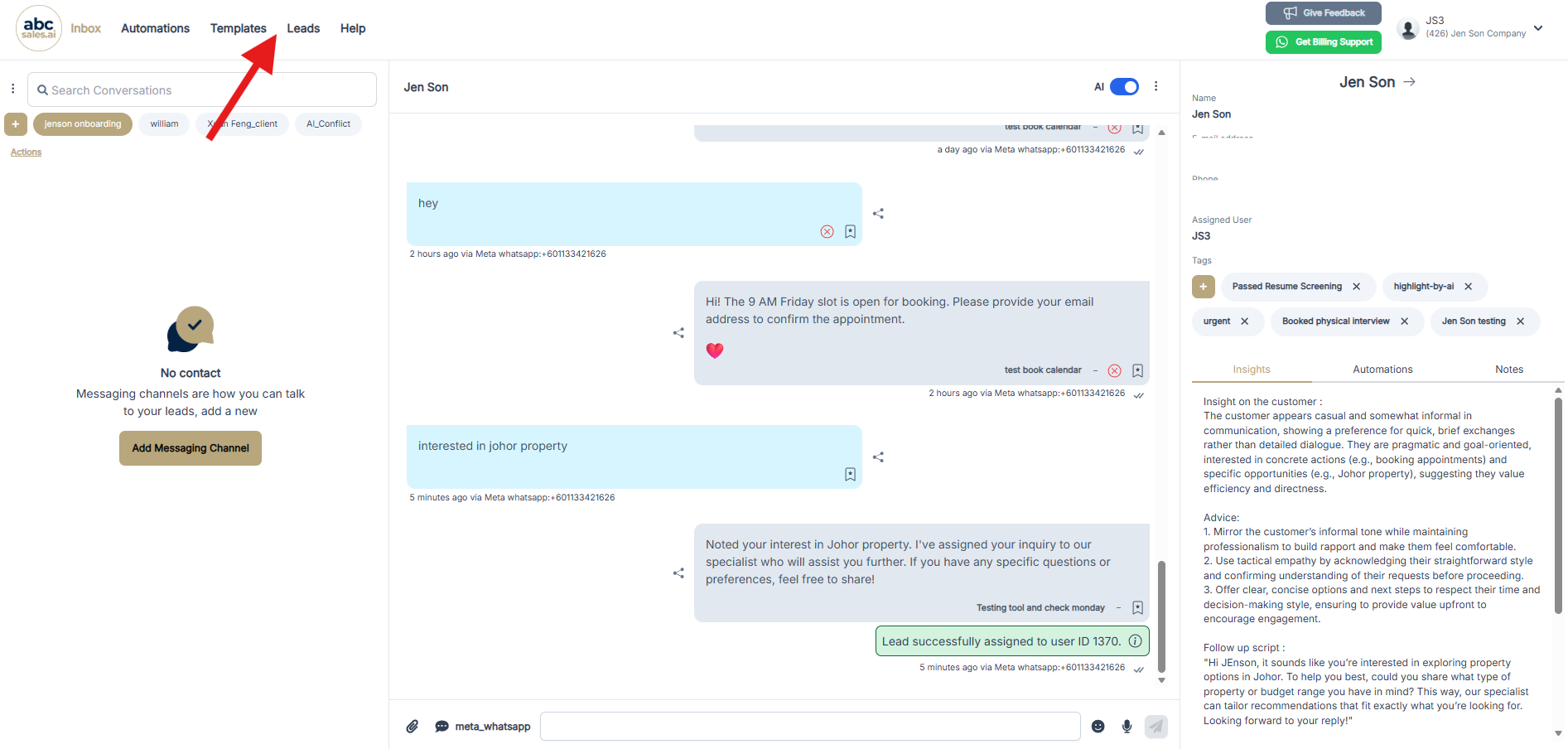
When a Trusted Employee or Agent logs in, they will notice that the AI Agents menu item is completely hidden from the navigation bar. They can still access Inbox, Automations, Templates, Leads, and Help - but the AI configuration section is invisible to them.
This ensures that your AI's competitive advantage (your system prompt, knowledge base, and AI tools) remains protected from unauthorized access.
Who Can Access What
Tips
- **Security First**: This change protects your competitive advantage by keeping your AI configuration private
- **No Disruption to Sales**: Your sales agents can still chat with leads and use the AI - they just can't see how it works
- **Need to Grant Access?**: Promote team members to Admin role in **Profile → Users** settings
- **Audit Trail**: Consider keeping a record of who has Admin access for compliance purposes
Q&A
Q: Will this affect my AI's ability to respond to customers?
A: No. The AI will continue to work exactly as before for all users.
Q: Can I still let certain trusted employees see the system prompts?
A: Yes. Simply change their role to Admin in the Users settings.
Q: What happens if a non-admin tries to access the AI settings directly?
A: They will receive a 403 Forbidden or 404 Not Found error, and the page will not load.