
AI 工具:将潜在客户分配给用户
Assign Lead to User(将潜在客户分配给用户)工具让你的 AI 销售员工在对话过程中,将当前潜在客户分配给指定的团队成员。你只需提供潜在客户应分配对象的用户 ID(User ID),当满足你设定的条件时,AI 就会触发分配。
示例描述:“Use this tool to assign the current lead to user with ID 123 because they are the most appropriate agent to handle this inquiry.”
第 1 步:创建你的用户
前往 ABC Salesbot > Users(用户)并创建你的团队成员,然后为他们赋予 Trusted Employee(受信任员工)角色。
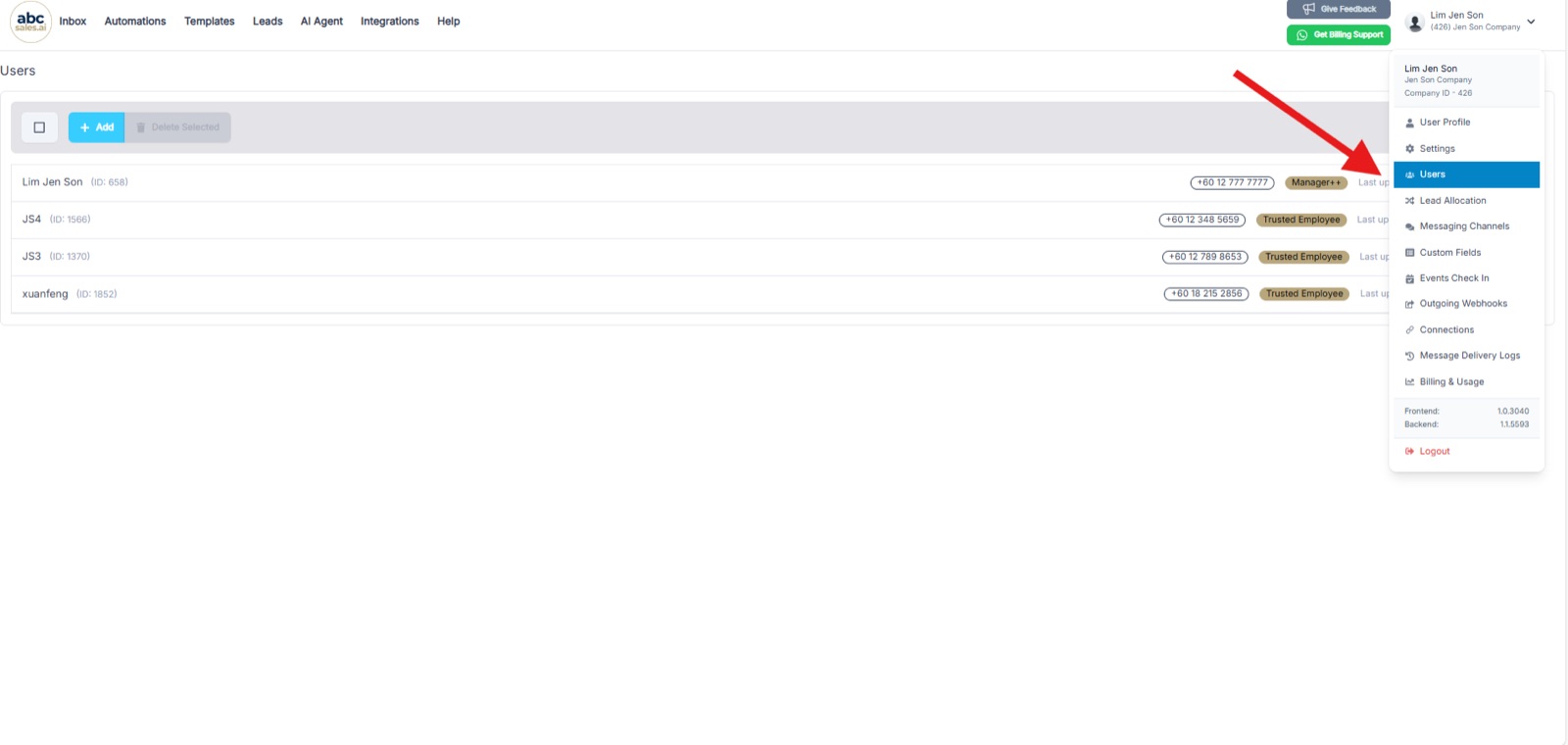
打开账户菜单并选择 Users,即可查看你的团队成员列表
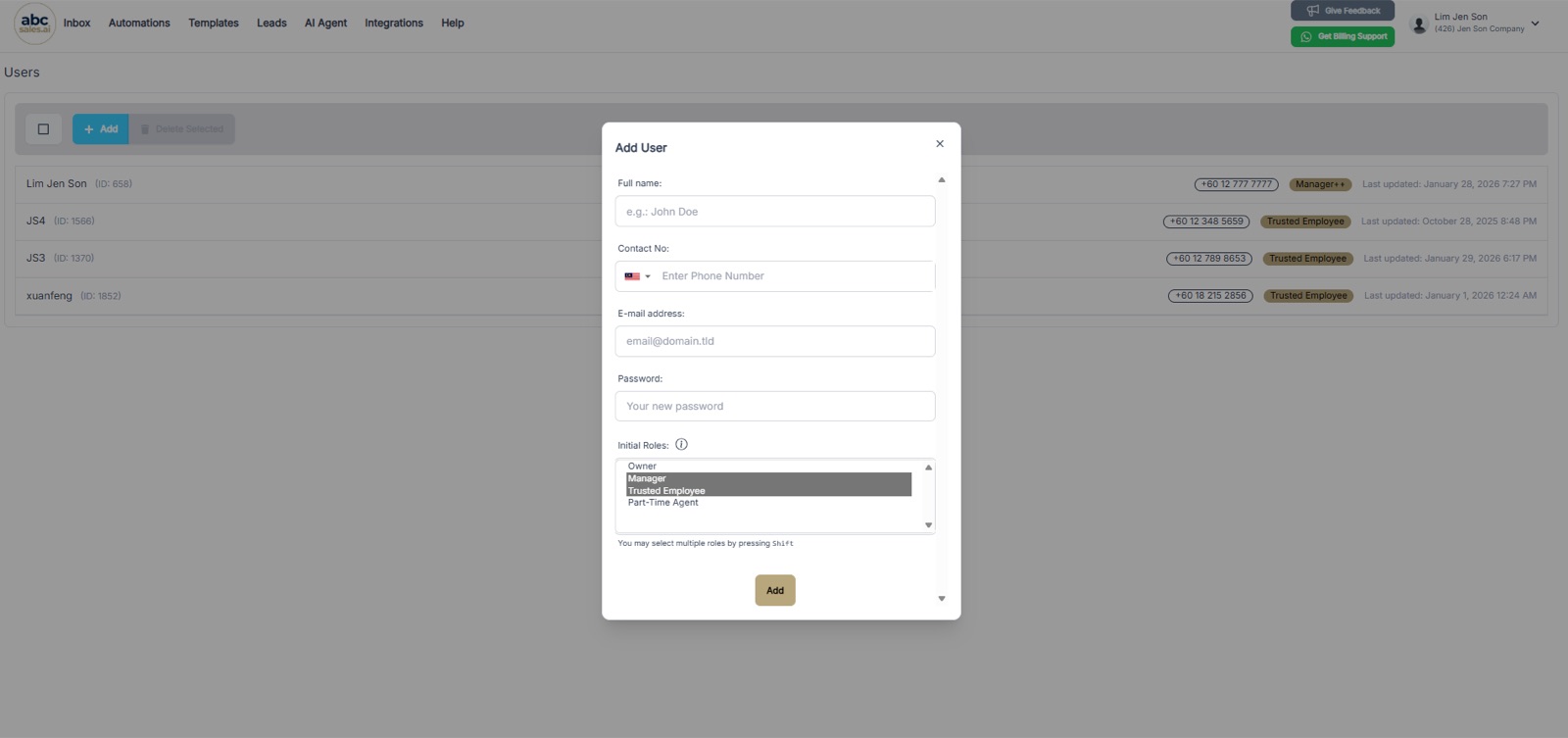
在 Add User 表单中,在 Initial Roles 下选择 Trusted Employee
第 2 步:复制用户 ID
每个用户都有一个唯一的 ID,配置工具时会用到。复制你想要接收潜在客户的团队成员的用户 ID,它显示在 Users 列表中该用户姓名的旁边。
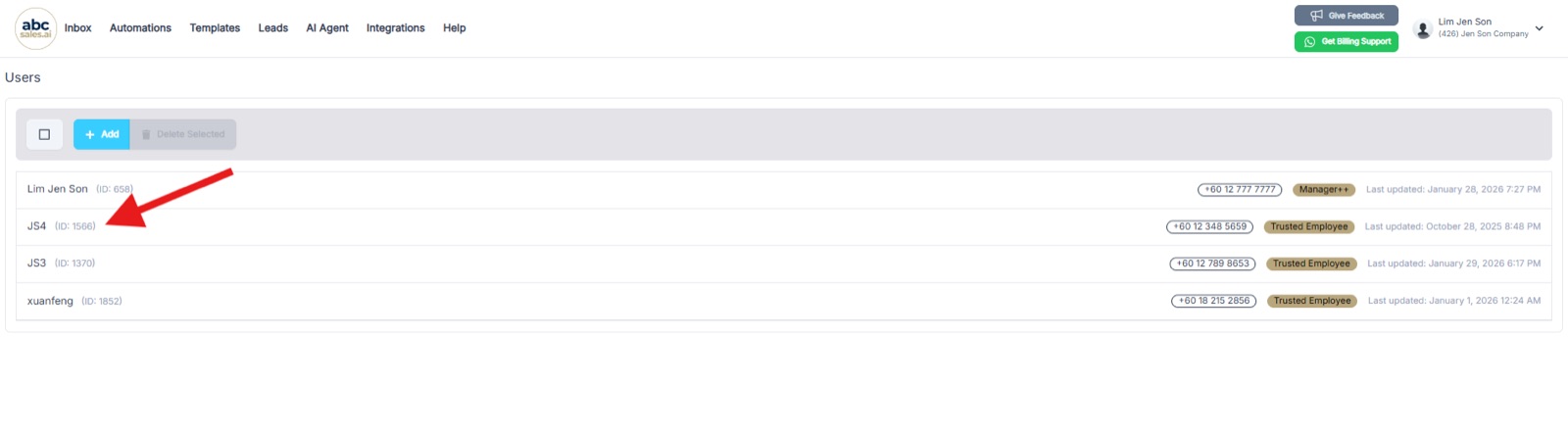
每个用户的 ID 显示在 Users 列表中其姓名旁边
第 3 步:添加 Assign Lead to User 工具
前往 AI Agent,添加 Assign Lead to User 工具。
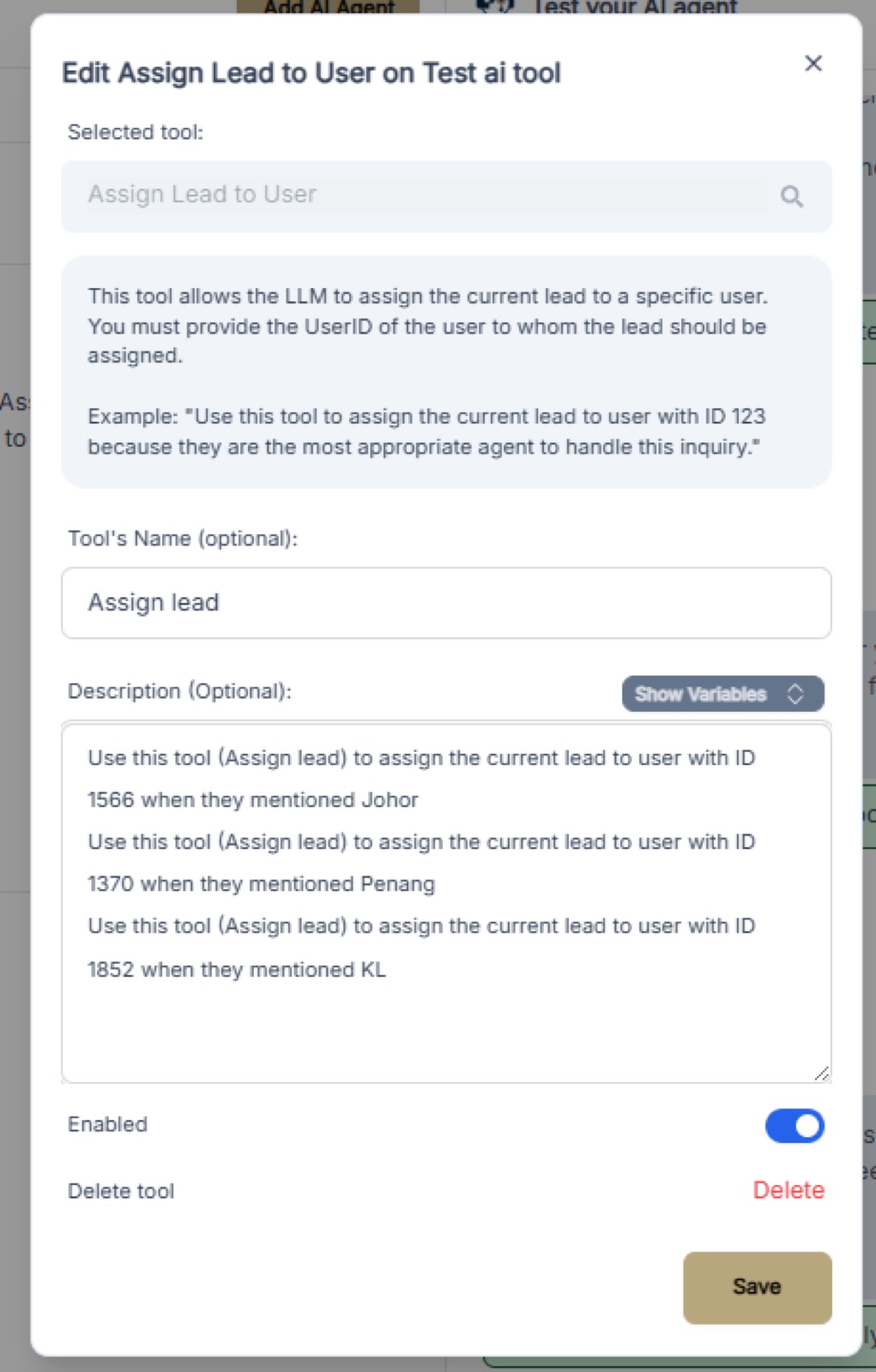
选择 Assign Lead to User 作为工具,并填写名称和描述
第 4 步:使用描述格式
在工具描述中使用以下格式:
> Use this tool (tool name) to assign the current lead to user with ID [USER_ID] when they mentioned (triggered event)
示例
- Use this tool (Assign lead) to assign the current lead to user with ID 1566 when they mentioned Johor
- Use this tool (Assign lead) to assign the current lead to user with ID 1370 when they mentioned Penang
- Use this tool (Assign lead) to assign the current lead to user with ID 1852 when they mentioned KL
第 5 步:将描述粘贴到你的系统提示词中
将工具描述添加到 AI Agent 的系统提示词(System Prompt)中,这样 LLM 才知道何时触发分配。
第 6 步:通过 WhatsApp 测试你的 AI
发送一条包含触发关键词(例如 “Johor”、“Penang”、“KL”)的测试消息,验证潜在客户是否被正确分配给指定的用户。你应该会在对话中看到一条确认信息,并在潜在客户的资料页上看到已分配的用户。
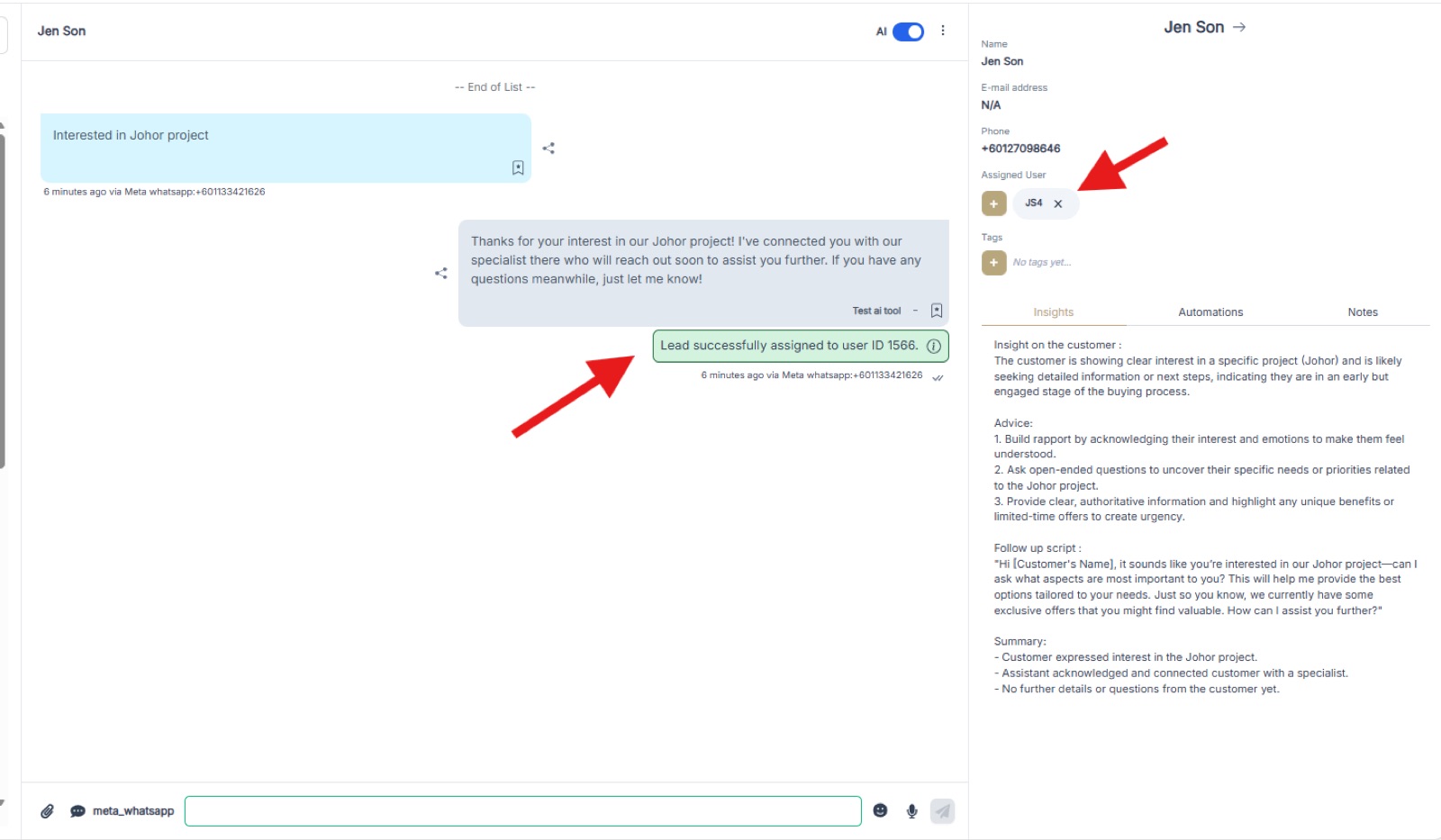
一段测试对话,显示潜在客户已成功分配给 ID 为 1566 的用户,且潜在客户资料页上的 Assigned User 已更新